

A few weeks ago, one of our customers – a boat charter business on the Havel near Berlin called Colombia Charter – successfully implemented a new WhatsApp strategy. In a nutshell they offer different boats and yachts for different occasions: romantic trips for two, birthday parties, corporate outings, family days on the water and much more.

Every booking is different. And every customer needs a different boat. Some customers book for the first time. And let’s be honest: do you know which boat you would choose?
Before using the CalendarApp, that meant a lot of back and forth. Someone writes “I want to book a boat” and the team spends the next hour asking what occasion, how many people, do they need a captain, what kind of experience are they after. By the time they had all the answers, half the leads had moved on because they could not reply fast enough or they did not know what kind of questions to ask.
Here’s what their WhatsApp looks like today – and why it works so well.
The Problem With Boat Charter Bookings
Booking a boat isn’t like booking a haircut. You can’t just pick a time slot and confirm. You as a customer need to know what you are after and hence you as a business need to understand what the customer actually wants before you can recommend the right boat.
Most businesses handle this manually or nothing at all. Someone writes in, you reply hours later, ask a few questions, wait again, and maybe – if they’re still interested – you close the booking.
With the CalendarApp, Colombia Charter turned their WhatsApp into an automated sales conversation that qualifies every single lead instantly, 24/7. No manual replies needed. No missed messages. No lost leads.
If you want to see how another business set this up from scratch, read how Chloe tripled her nail studio bookings using the exact same system.
What the Conversation Actually Looks Like
Here’s a real example from Colombia Charter’s WhatsApp conversations.
A customer named Kylie writes: “Hello! I want to charter a boat!”
Within seconds, Colombia Charter replies – along with a photo of one of their boats on the Havel:
“Hi Kylie! Thanks so much for reaching out to Colombia Charter – you’ve definitely come to the right place! We’re excited to help you book your perfect getaway on the Havel. Whether you’re dreaming of a peaceful escape with someone special or an adventure with friends, we’ve got you covered. What kind of experience are you looking for?”
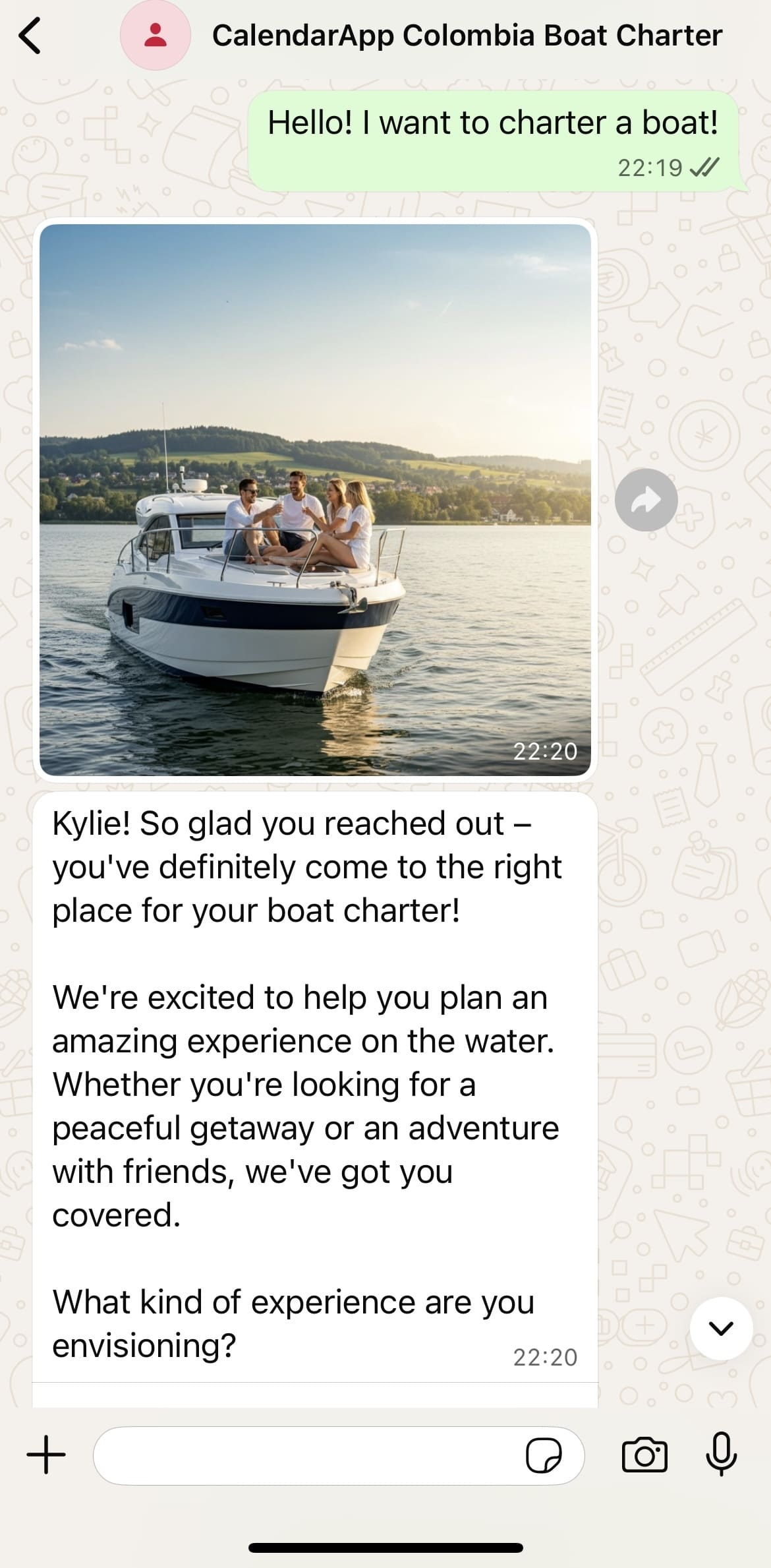
Kylie didn’t have to wait. She didn’t have to visit a website. She got a warm, personal reply with a beautiful image – and a question that moved her forward.
Step 1: Qualify the Occasion
Kylie answers: “adventure with friends”
Colombia Charter replies: “Sounds amazing! An adventure with friends is the perfect way to experience the lakes. How many people will be joining you on the boat?”
This is where the qualification begins. The business isn’t just collecting data – it’s validating her choice and keeping the energy up. Every answer moves her one step closer to the right boat.
Step 2: Qualify the Group Size
She replies: “12 people in total”
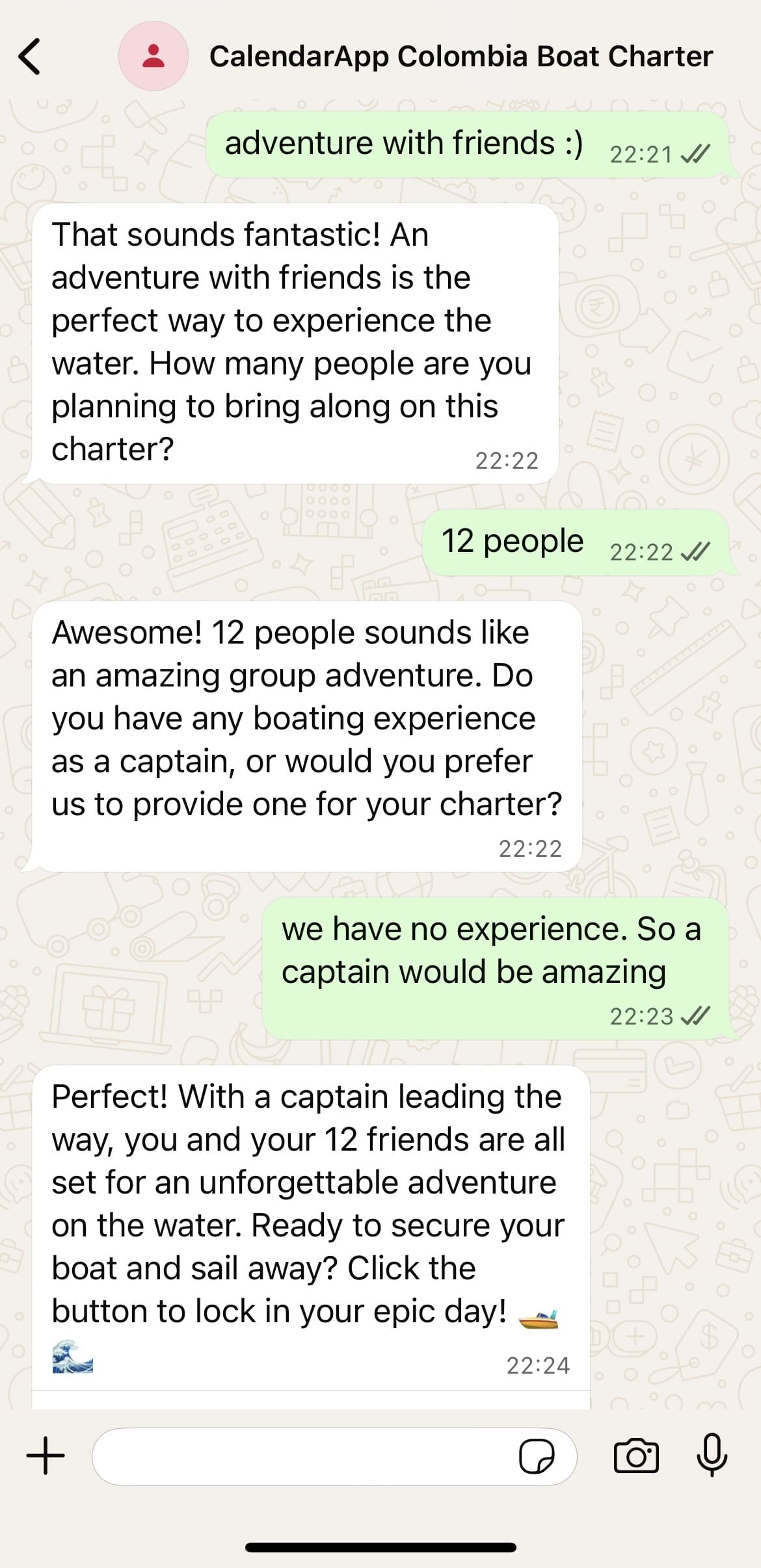
Now Colombia Charter knows she needs a larger boat. But instead of jumping straight to a booking link, the conversation keeps going:
“Perfect! 12 people sounds like an unforgettable adventure. Do you or any of your friends have boating experience as a captain, or would you prefer our team to handle that for you?”
This is where most businesses would stop and send a price list. CalendarApp keeps qualifying – because knowing whether she needs a captain changes which boat and package to recommend.
Step 3: Qualify the Experience
Kylie says she wants a captain. Colombia Charter replies:
“Wonderful! Having a captain will let everyone relax and enjoy the experience. Now, if you close your eyes and imagine the perfect boat day with your friends, what does that look like? Are you thinking peaceful cruising, water activities, scenic stops, or something else entirely?”
This is the moment I find most impressive when I show this to people. The business isn’t asking a form question – it’s helping her picture the day. By the time she answers, she’s not just interested. She wants it.
Step 4: Close the Booking
She answers: “hmm anything actually :)”
Colombia Charter wraps it up:
“Excellent! With 12 friends, a captain on board, and flexibility on activities, you’re all set for an amazing boat adventure. Click the button to secure your perfect day on the lake and sail away! 🚤🌊”
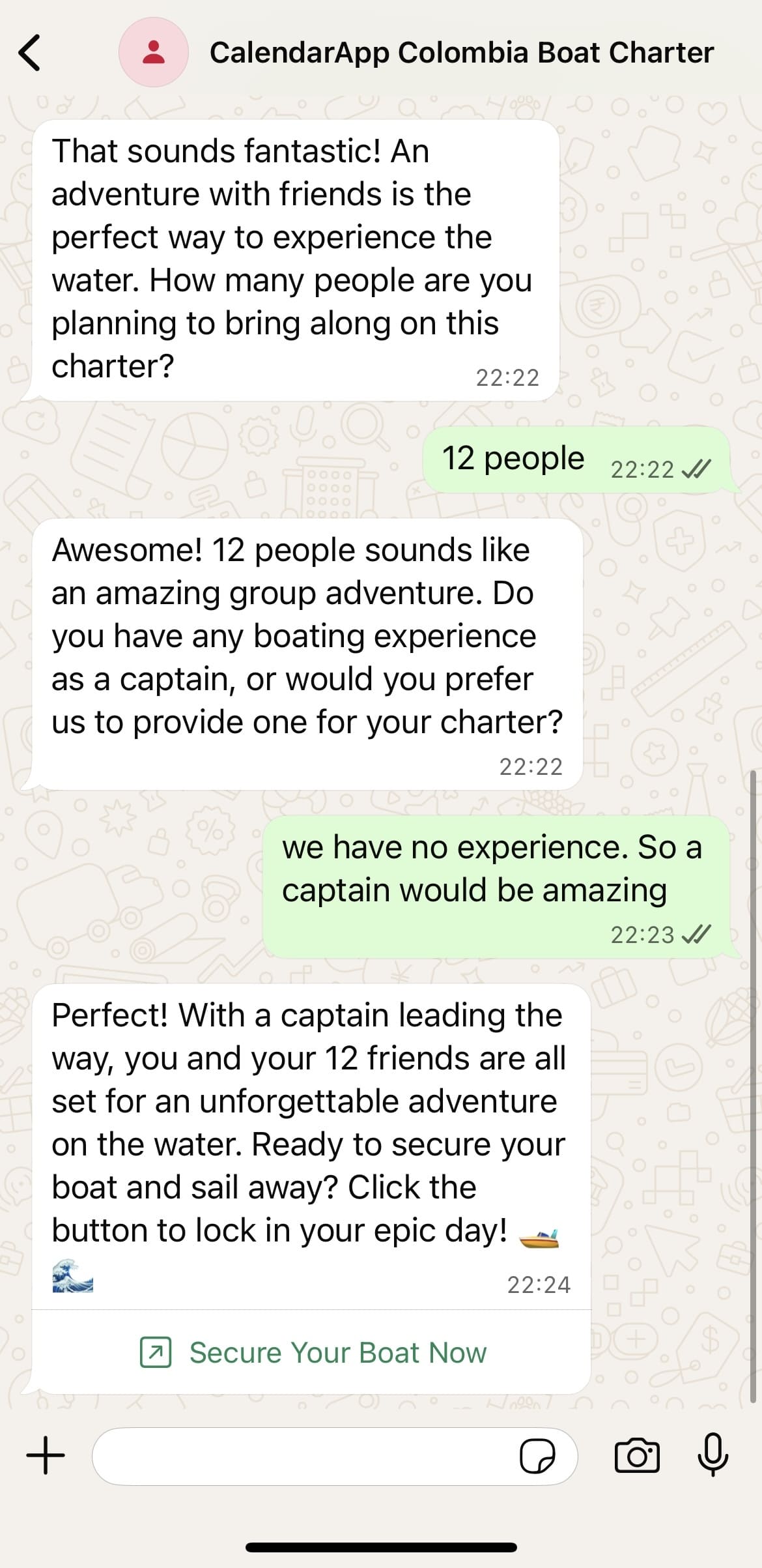
A Secure Your Boat button appears directly in the chat. She taps it, picks a date, and the booking is confirmed.
From her first message to the booking – fully automated. The Colombia Charter team didn’t type a single word.
Why This Works
What CalendarApp does for Colombia Charter is not just automation. It’s qualification. The business responds to every inquiry instantly, asks the right questions in the right order, and only presents the booking option once it knows exactly what to offer.
That’s what turns a casual inquiry into a confirmed booking.
Before CalendarApp:
- Answering messages manually at all hours
- Leads going cold because replies were too slow
- No consistent way to ask the right questions
After CalendarApp:
- Every inquiry gets an instant, personal response
- The business qualifies the lead before the booking link appears
- Bookings come in at night, on weekends, while the team is out on the water
All bookings sync automatically to Google Calendar. If you’re not sure how that works, here’s how CalendarApp connects to your Google Calendar and keeps everything updated in real time.
This Works for Any Occasion-Based Business
Boat charters are just one example. Any business where the right booking depends on understanding the customer first can use this exact approach.
If you offer different services, different packages, or different experiences depending on who’s asking – CalendarApp can automate that entire qualification conversation on WhatsApp, Instagram, Facebook, or Telegram.
The customer feels heard. You get qualified bookings. Nobody has to wait.
If you run an agency and want to set this up for multiple clients, here’s how to manage multiple CalendarApp accounts from one dashboard.
– Max, CalendarApp
Ready to qualify your leads automatically? Start your free trial at calendar-app.de